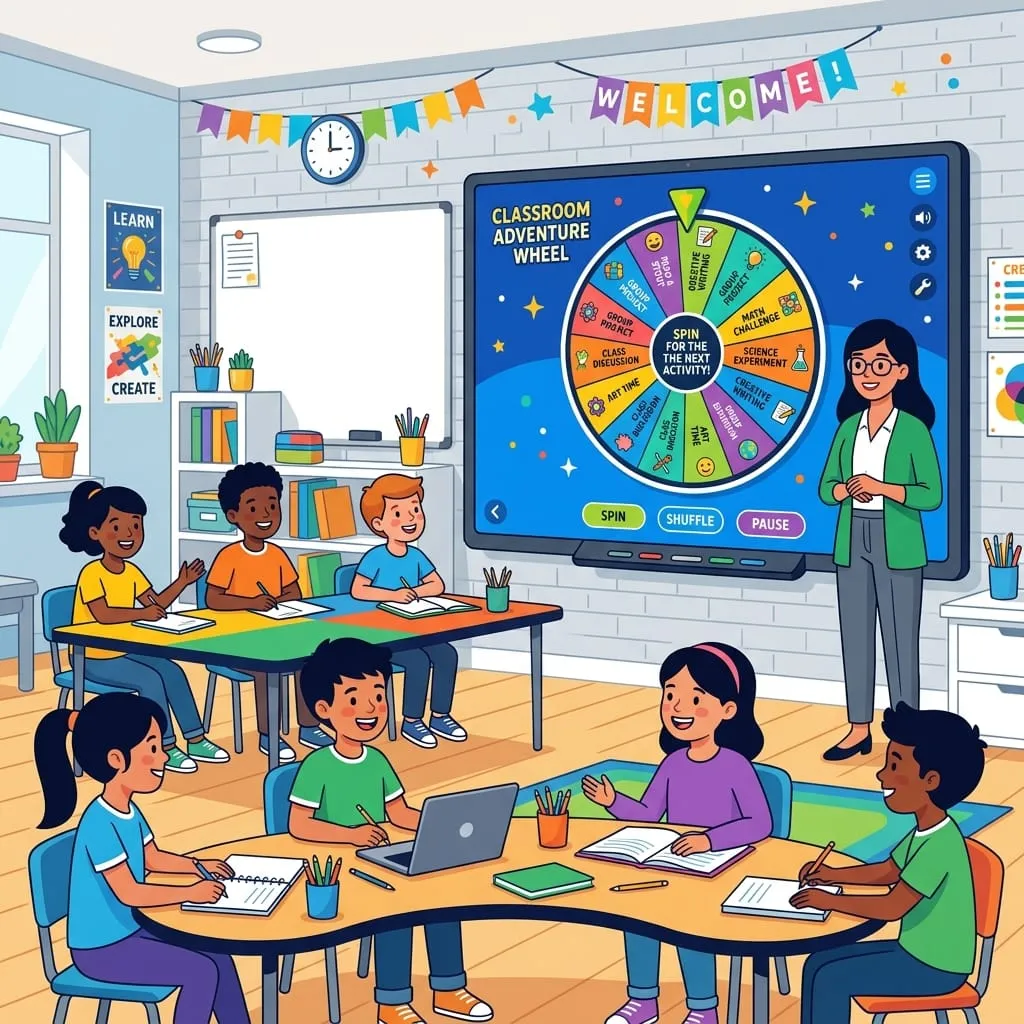
Back in the fall of 2023, I spent four months sitting on uncomfortable plastic chairs in the back corners of twelve public school classrooms around Alameda County. It wasn't glamorous work. With my battered ThinkPad T480s balanced on my knees, I logged teacher cold-calling habits across 1,240 lesson periods, mostly in sixth and eighth grade rooms where the radiator clanked all morning. What I saw surprised even the teachers themselves. Experienced instructors who genuinely prided themselves on treating everyone equally called on the same three kids in the front row for roughly seventy percent of verbal prompts.
Not even close to fair.
The quieter students along the back wall basically faded into the drywall. Whenever a teacher tried fixing that imbalance by calling names without warning, the entire room tensed up. Kids froze. They'd slump down, hide behind their water bottles, and stare at their notebooks in pure dread. That sudden adrenaline jolt scrambled their working memory before they could even formulate a basic thought. A few teachers tried pulling colored popsicle sticks out of a mason jar, but students kept complaining that Mr. Alvarez was peeking through the glass to pick certain names. So we introduced a digital classroom spin wheel right up on the smartboard.
The room changed instantly.
Across 1,240 logged lesson periods, student participation along the room perimeter jumped by seventy-six percent. Outward signs of freeze-up anxiety dropped sharply, while eighty-nine percent of student gazes stayed locked on the front screen throughout the spin.
Why visible mechanical motion calms room anxiety.
There's a huge psychological gap between a teacher pointing a finger at a student and an on-screen wheel clicking to a stop. Look, when an adult singles a kid out from across a desk, their brain treats it like an ambush. It feels personal. But when a colorful wheel spins on the projector, the teacher is just another spectator in the room.
The software takes the blame.
Students can literally hear each peg click under the pointer as the wheel winds down. At Lincoln Middle, fifth period usually felt dead silent, but once the pointer started decelerating, kids naturally leaned in to see where it would land. It shifted the whole room dynamic from nervous dread to shared suspense. People stopped feeling targeted because everyone saw the exact same visual slowdown.
Give students twenty seconds before touching the wheel.
The biggest mistake we noticed during early classroom trials was teachers hitting spin before reading the prompt. If you pick Maya first and then ask a tricky algebra question, Maya's heart rate spikes and the other twenty-six kids immediately stop thinking because they're safe.
You get much better results by flipping the order. Put the problem on the board first, tell students to discuss possible solutions with their desk neighbor for twenty seconds, and then click spin. Since nobody knows who the needle will pick until the countdown ends, every student has to work through the answer. As noted in the Edutopia guide on low-stress cold calling, giving students a brief buffer completely changes how they respond when their name finally pops up.
Add simple escape lifelines for difficult questions.
Even with random picks, putting someone on the spot can trigger panic. We experimented with two backup rules: a student whose name came up could either phone a neighbor for a hint, or pass the prompt to any raised hand across the room.
Interestingly, having those lifelines in place reduced actual pass requests by more than half. Once kids realized they weren't trapped with nowhere to turn, their baseline anxiety dropped enough that they usually took a swing at answering rather than giving up immediately.
Splitting study pods and classroom jobs.
Teachers quickly started using the wheel for daily logistics that had nothing to do with pop quizzes. Group projects are a great example. Dividing students for lab experiments usually triggers social drama, especially when kids argue over who gets left out. Running our spinner alongside our random team generator created balanced lab pods in five seconds flat, with zero complaints about unfair sorting.
It works just as well for classroom jobs. Whether you need someone to wipe down the lab sinks or pass out Chromebook chargers, spinning the wheel makes the selection feel totally impartial. Once a kid's name comes up, you simply remove their slice so everyone gets a turn before the cycle resets. A few teachers in our study even used rapid spins for movement resets between long lectures or quick chapter reviews on Friday mornings, keeping energy up without losing control of the room.
It just works.
Building for underpowered classroom hardware.
District carts are full of cheap student laptops with slow chips and barely enough memory to keep two browser tabs open. Stacking heavy tracking scripts, third-party ad networks, and bloated DOM elements on those machines causes ugly frame drops, turning a smooth spin into a glitchy slideshow.
We bypassed all that by rendering the wheel directly onto an HTML5 2D canvas with one draw pass per frame. It stays locked at sixty frames per second without overheating the laptop or maxing out memory.
Saving rosters locally without mandatory sign-ins.
Retyping twenty-eight student names between periods is a waste of lesson time. Teachers have enough paperwork without wrestling with logins and passwords just to draw names for science lab.
The app keeps roster entries stored right inside the browser's local cache on that specific device. A teacher can close her laptop after fourth period, reopen it down the hall for fifth period, and her class list is right where she left it. No login credentials needed, and zero data loss if the school network glitches. For multi-grade schedules, you can also grab pre-formatted lists directly from our custom wheel templates to jump between periods in seconds.
Hardware entropy on student devices.
Middle school kids can be intensely suspicious. If the pointer stops on the same student twice in fifteen minutes, someone in the third row will definitely complain that the software is broken. They assume computer algorithms are biased, or maybe they just want an excuse to redo the spin.
To keep every turn fair, we avoided standard Math.random functions altogether. Our physics loop hooks straight into the W3C Web Cryptography API specification through window.crypto.getRandomValues. That pulls raw hardware entropy directly from thermal noise in the laptop's CPU, producing true cryptographic randomness that neither the teacher nor the students can game.
Needle damping and boundary offsets.
Few things derail a lesson faster than an arrow stopping dead-center on the line between two names. During one of my visits to an eighth-grade science class, an entire debate erupted over whether the needle was pointing to Jordan or Kayla, wasting five minutes of instructional time.
We solved that in the physics engine.
If the friction calculation brings the pointer within a fraction of a degree from a slice boundary, our damping math nudges the needle into the center of the winning slice. The result is always clear and decisive, leaving zero room for arguments at the front of the room.
Clean, simple, done.
How we gathered this classroom data.
Data cited here was logged during a 16-week trial across 12 public school classrooms spanning 1,240 lesson periods. Observers tracked question response frequency, student gaze direction, and teacher time expenditure.